
How to Organize Notes: Stop Adding Tags, Fix Your Titles Instead
If you've ever looked up how to organize notes, you've probably lived this arc.
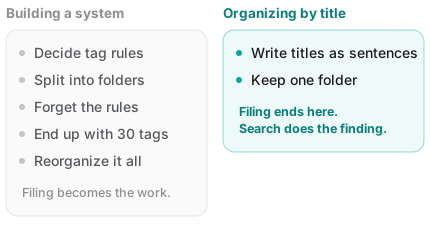
You settle on tag rules, split things into folders, maybe add colors. It holds for about two weeks. Then one busy day you dump something in the wrong place, then another, and eventually you have thirty tags and use none of them.
Here's the conclusion up front. Making the system finer-grained is the wrong direction. You need one thing:
Write titles as sentences, keep one folder, and let search do the finding.
This post is about why that works — and the one condition it depends on.
Why note organization systems keep collapsing
You pay when writing, you benefit when searching
The structural problem with tags and folders is that the cost and the payoff happen at different times.
Filing costs effort the moment you write the note. The payoff arrives weeks later when you go looking. People weigh present effort heavier than future benefit, so the busier you are, the more you skip filing. And once you've skipped it a few times, the system is no longer trustworthy.
Future you searches with different words
There's a bigger problem. The note you filed today under #work/planning is the one you'll later recall as "that thing about the quote."
Filing follows the structure in your head when you save. Search follows the words in your head when you look. Those two drift apart constantly, and it's always filing that turns out to be wrong.
A folder forces one answer
A note about a development deadline raised in a meeting — is that meetings, engineering, or schedule? There's no right answer, and you face the same non-question every single time. Eventually you stop deliberating and drop it anywhere, and at that moment folders stop meaning anything.
Organizing with titles alone
So the proposal is simple: spend the filing effort on the title instead.
1. Write titles as sentences, not labels
This is the habit that carries everything. Write the title so it contains the words you'll search for later.
| Instead of | Write |
|---|---|
Meeting notes | 2026-09-12 Acme quote call - unit price |
Idea | Blog auto-publish idea - watch the Drive folder |
Doctor | Knee pain orthopedist visit - MRI suggested |
The trick: include the date, proper nouns, and the words you were actually using. Two months from now you won't recall #work — you'll recall Acme and quote.
2. Keep one folder
With no folders to choose between, the "where does this go?" question disappears. Put everything in one place and view the list by date. Recent things sit at the top; older ones you find by searching.
If two groups are genuinely different in kind — work and personal, say — two or three folders is plenty. Beyond that you're mostly buying maintenance cost.
3. Organizing starts with deleting
If a pile of notes feels heavy, don't file it — delete it. Neatly categorizing notes you'll never open again isn't organizing; it's postponing.
This approach rests on one condition
Organizing by title only works if you can actually find things by title. And this is exactly where apps differ in a way that matters.
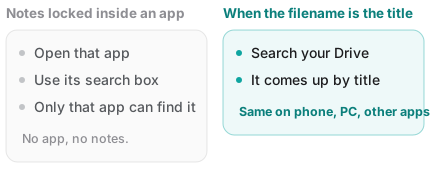
When your notes live inside an app's database, a title only means something inside that app. You have to open the app, and use the app's search box.
But when a note is a file and the filename is the title, the title becomes a name that works everywhere.
- It turns up in Google Drive's own search
- It reads the same on your phone and in your file explorer
- It keeps that name when opened in any other editor
In other words: when the filename is the title, the title stops being an app feature and becomes yours.
Fenex uses your title as the filename
In Fenex, the title you type becomes the actual filename in your Google Drive.
- Write
Acme quote call - unit priceand it's saved asAcme quote call - unit price.md - Type
quoteinto Drive's search and it comes up — without opening Fenex - It's built to work out of one folder; if you want more, just make folders in Drive
There's no tagging feature. Not an omission — titles and search were judged to be enough.
That judgment won't suit everyone, of course. If your work depends on filtering by attributes — status, owner, due date — a database-shaped tool is the right call. This approach is built for notes you read and write.
Wrapping up
| Instead of | Do this |
|---|---|
| Designing tag rules | Put searchable words in the title |
| Nesting folders | One folder, sorted by date |
| Filing things away | Deleting what you won't reopen |
The goal of organizing notes isn't a tidy list — it's finding something two months from now. Measured against that, one line of title beats thirty tags.
Try it on a single note you wrote today. Just adding the date and a proper noun makes a difference.
And if you'd rather that title live on as your own filename, open Fenex and write one note. No sign-up — just connect Google Drive.
Related reading: